
Every talk, live, in every language your audience speaks.
Plug into the sound desk or clip a mic on the speaker. Audiobly follows every talk as it happens, names who is speaking, and lets each attendee read or listen on their own phone, in their own language, with a voice for every speaker. The same capture becomes the reviewed record, the reports and the insights afterwards.
Plug into the sound desk, or clip a mic on the speaker
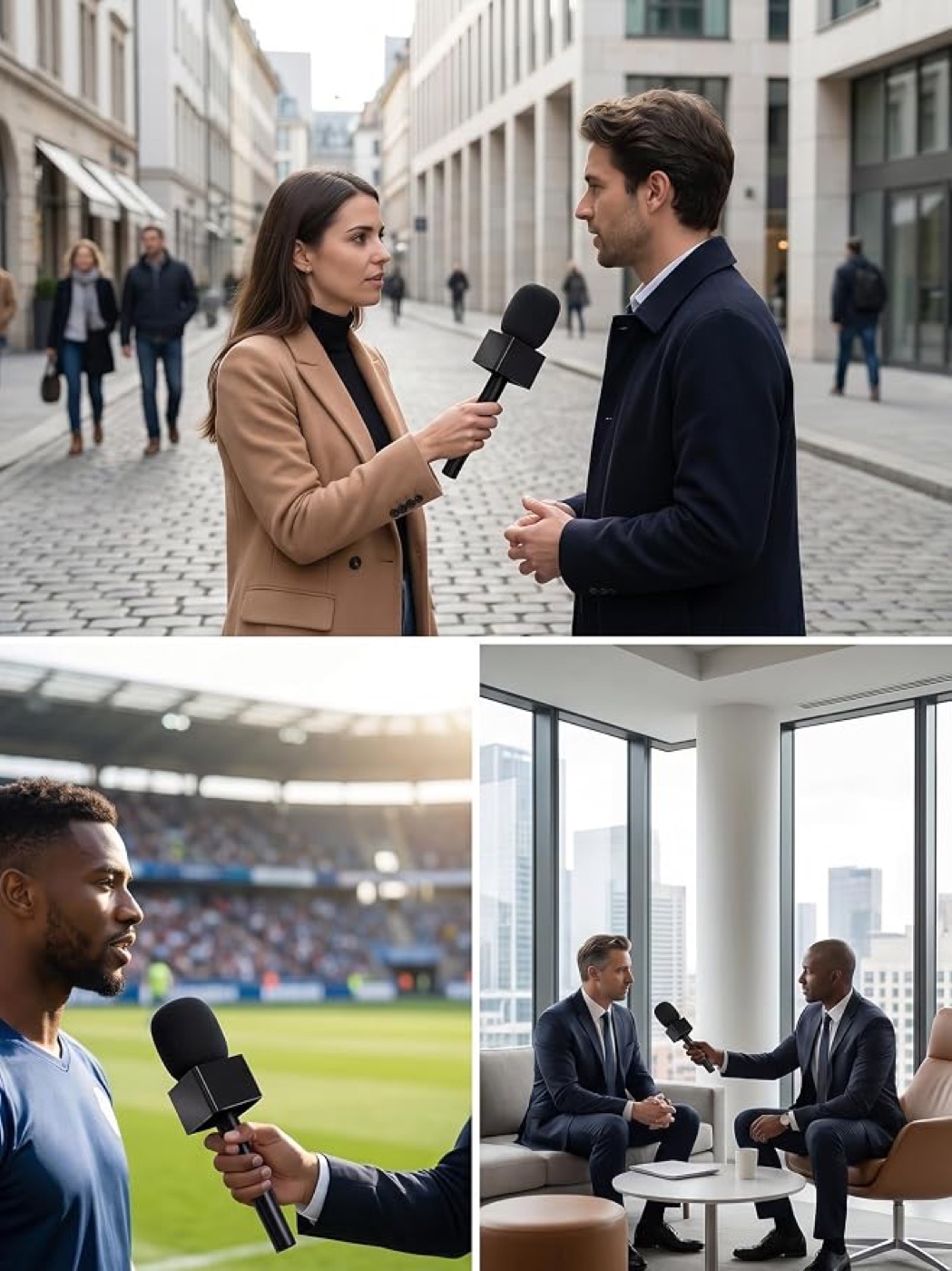
Main stages run from the venue's sound desk: the mixer's feed goes into a laptop through any audio interface, one laptop per room. Interviews, side stages, roundtables and small rooms need no AV at all: a clip-on wireless mic and a phone or laptop are enough. Streamed, hybrid and online talks come in from their stream, and recordings can be added afterwards.
The feed the room already hears
The venue's mixed feed goes into a laptop through any audio interface. No per-mic outputs, nothing for the AV team to rewire. Our team can run it for you, room by room.
No AV needed
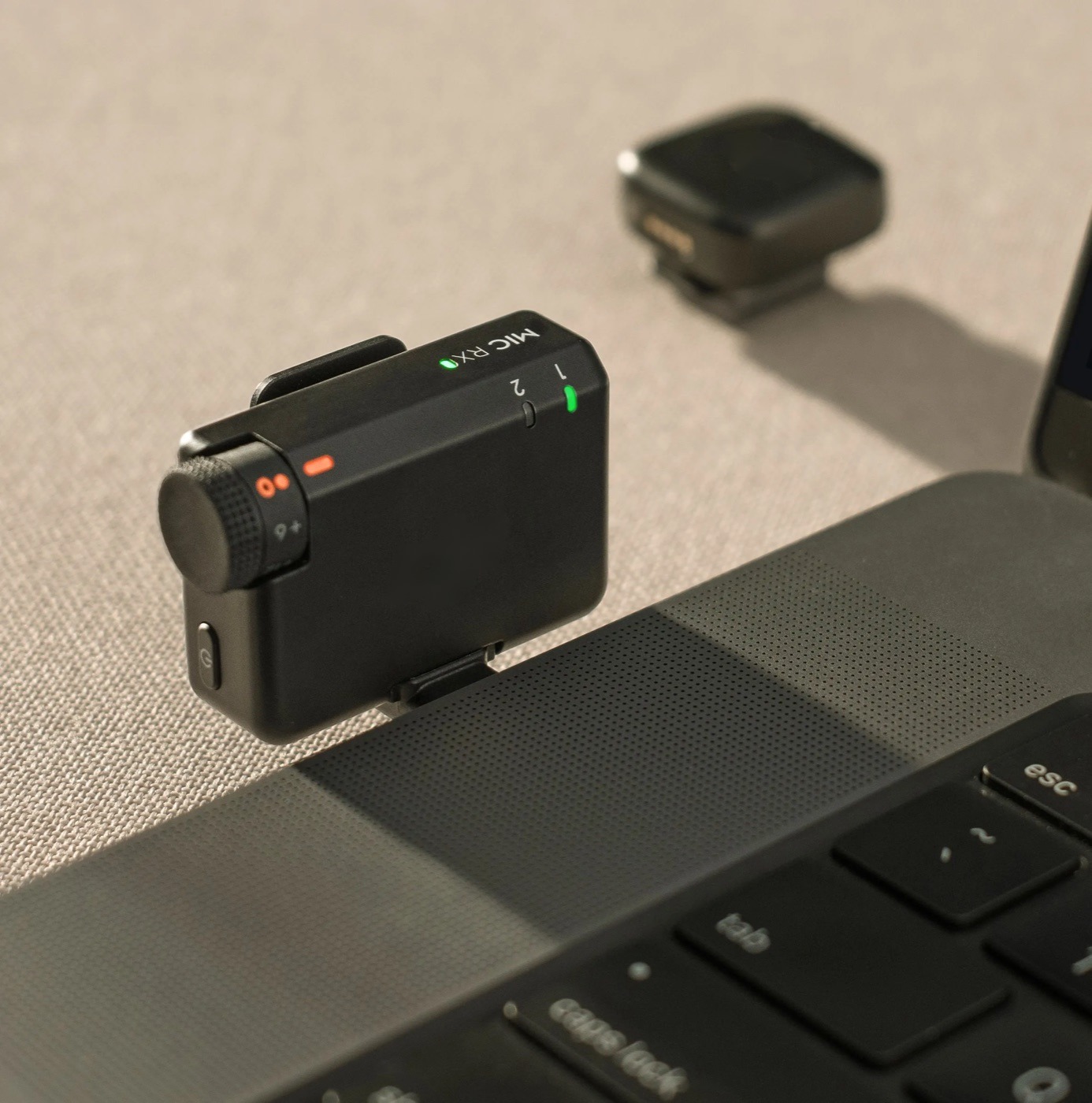
Any wireless clip-on kit whose receiver plugs into a phone or laptop. Up to four mics on one receiver, and every mic keeps its own backup recording.
Hybrid and virtual talks
Any stream address as a talk's audio (RTMP, SRT or HLS). Zoom, Teams and Webex through the meeting's own live-stream output, so no bot joins the call.
One laptop or phone per room
Each room runs on its own and is tied to its talk in your programme, so a busy main stage never slows a breakout room.
Processed again after every talk
The full recording is kept and processed again when the talk ends, so a dropped connection never costs you the talk.
Recordings and existing transcripts
Upload any recording, or import transcripts you already have (WebVTT, SRT). They join the same record as everything captured live.
Four steps, built for one person running a room
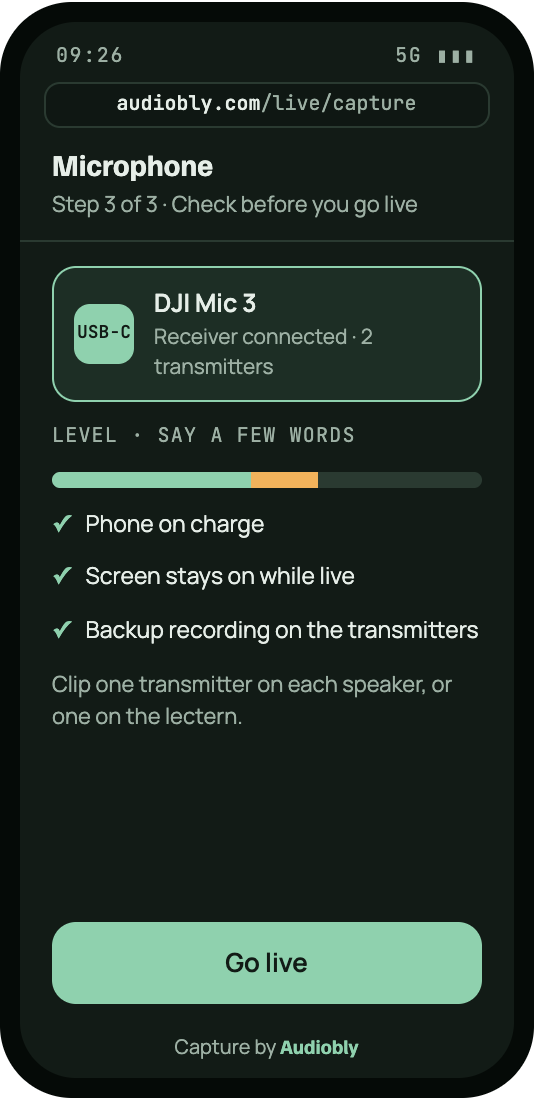
Signed-in organisers open the capture screen in a phone or laptop browser. Nothing to install. Pick the talk from your programme, check the speakers, plug in the mic and go live. Speakers are named as they talk: voices are told apart automatically, and the operator taps a name once per new voice.
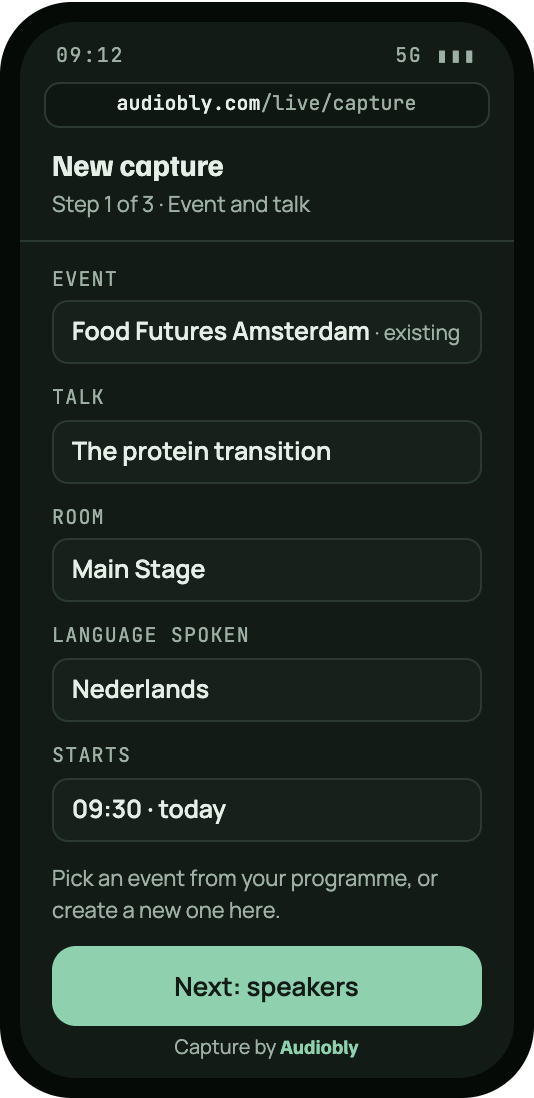
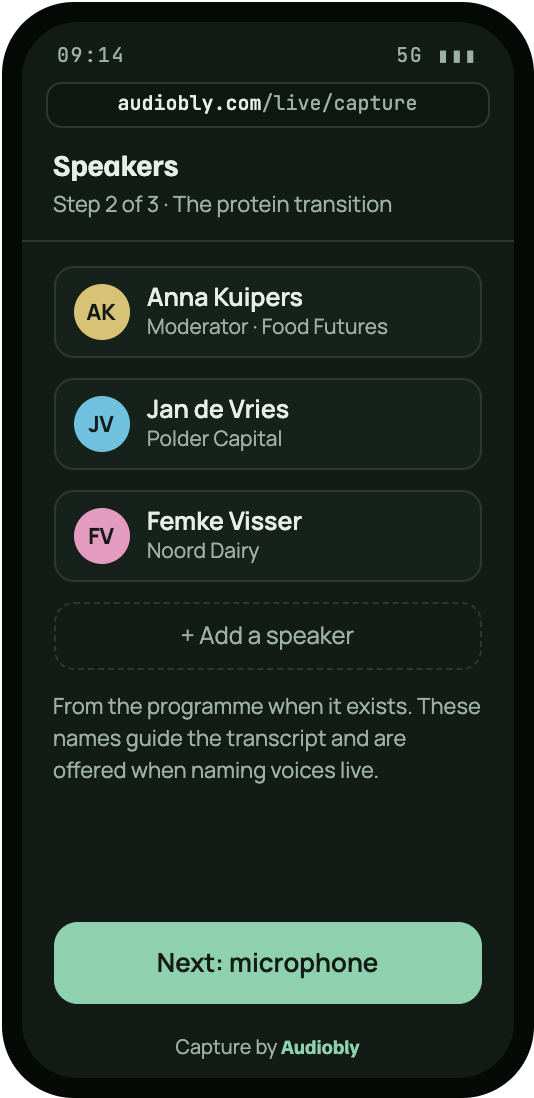
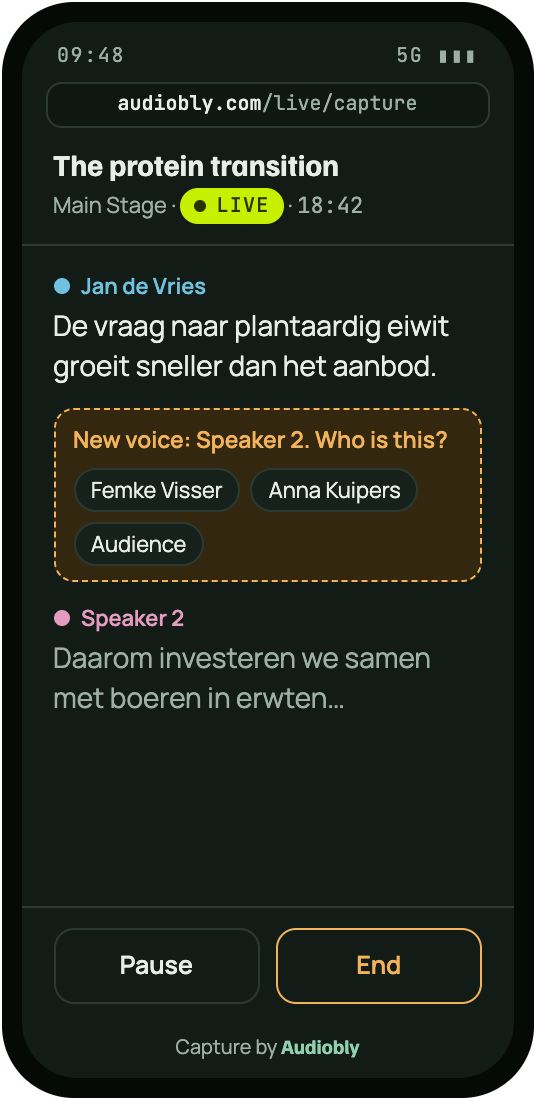

- The same Audiobly behind it. Live transcript, live speaker naming, the full-audio pass after the talk, then review, reports and insights.
- A backup in every mic. Each transmitter records internally, so if the phone or the network fails, the talk is still on the mic.
- A full day on one charge. Mic kits run for hours; the capture screen keeps the phone awake while it is live.
Multilanguage support for live events
Events, webinars and podcasts are captured in the language they are held in, live from the sound desk, a phone or a laptop, or from recordings uploaded afterwards. English, Dutch, French and Spanish are proven on real event audio; Mandarin, Arabic and other languages are tested on your own recordings before your event. Set the language per event, run mixed-language events, or let new events follow your organisation's main language.
亚洲对植物蛋白的需求,增长速度已经超过了供应。
所以我们正在与农户合作,扩大豌豆和大豆的种植。
الطلب على البروتين النباتي في منطقة الخليج ينمو أسرع من العرض.
لذلك نستثمر مع المزارعين في زراعة الحمص والعدس.
Names and terms right
Your programme, speaker list, sponsors and website guide recognition, so speakers, companies and industry terms come out spelled correctly in every language.
Personal details protected in that language
Names, emails, phone numbers and bank details are detected in the language that was spoken.
Written in the event's language
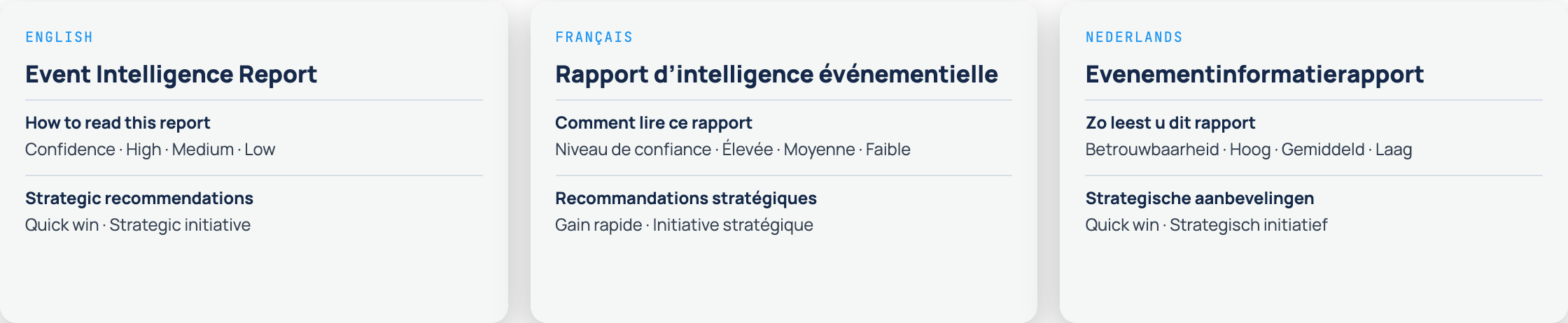
Summaries, insights and every report, down to the headings, legends, labels and dates. Speakers' quotes stay exactly as they were said.
Every attendee follows in their own language
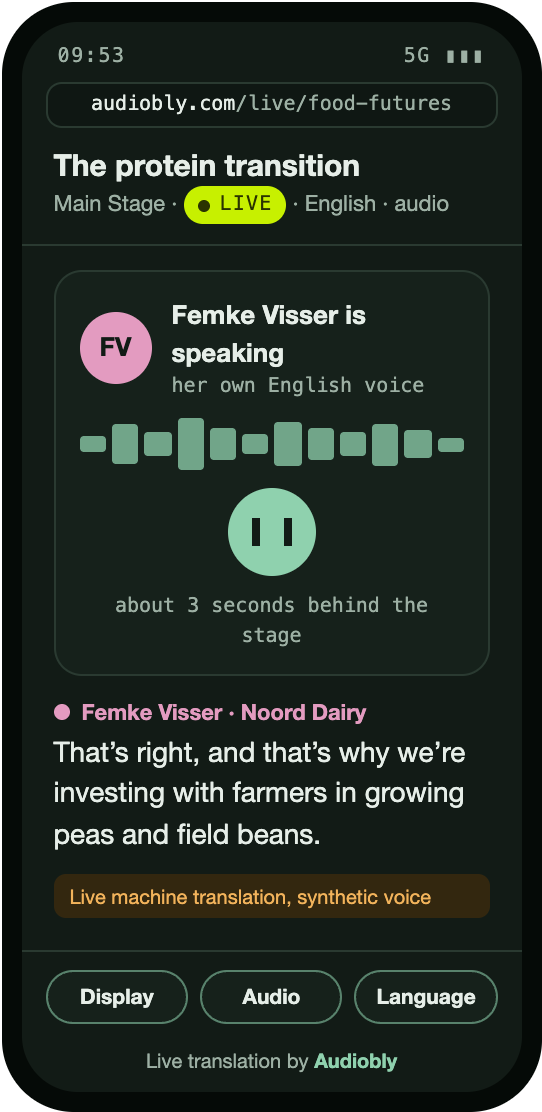
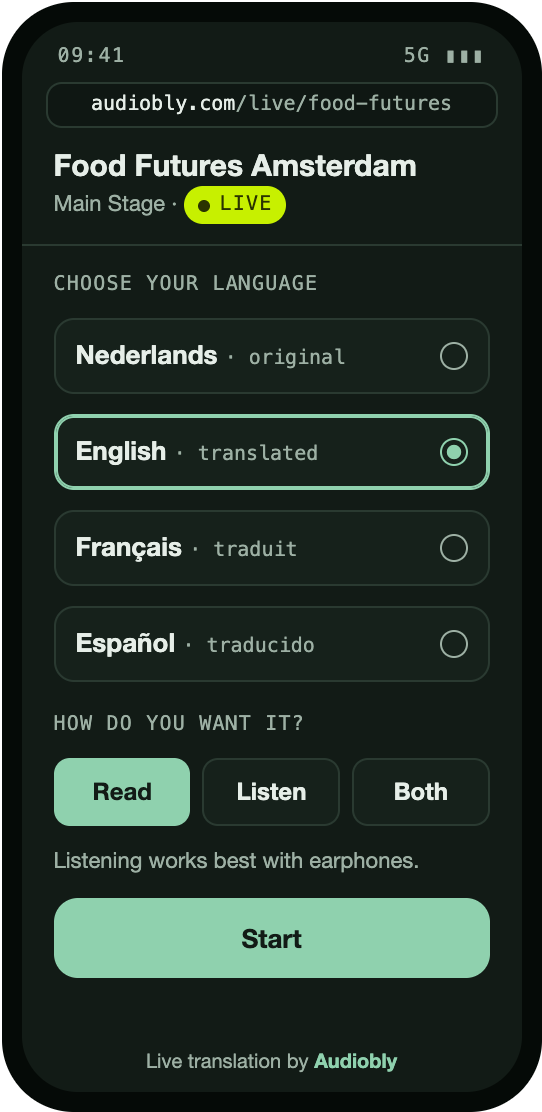
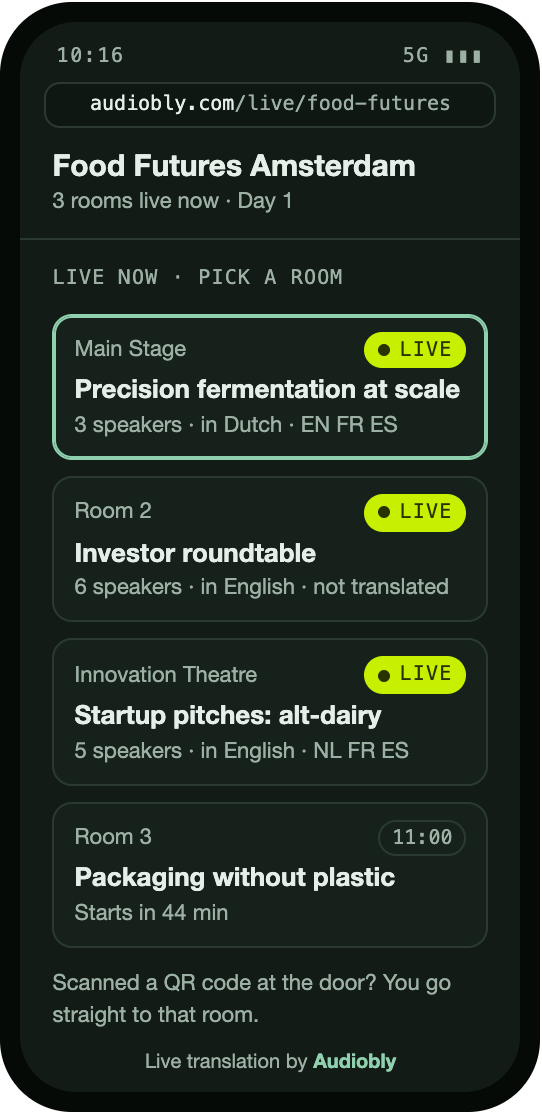
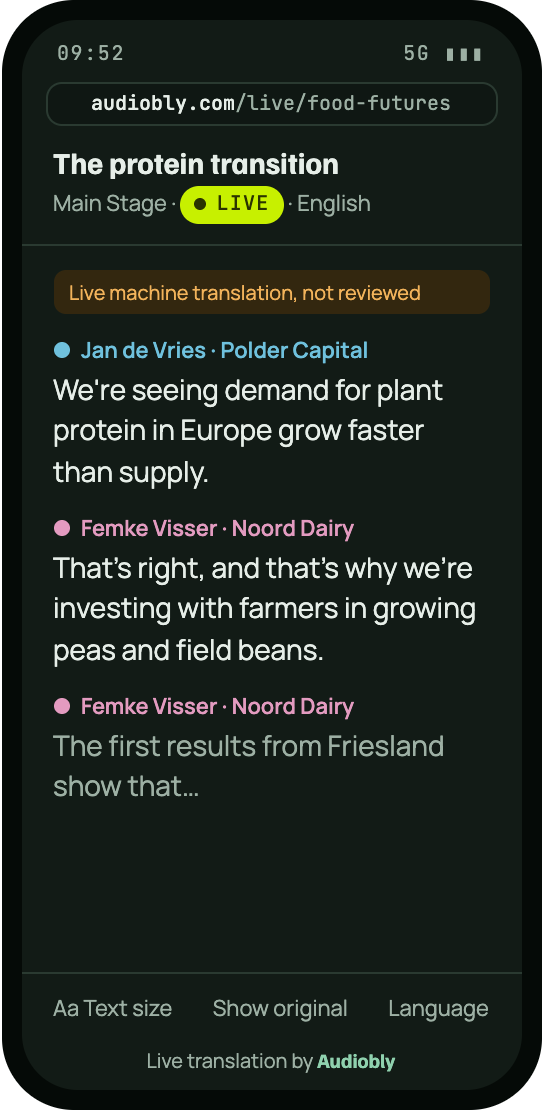
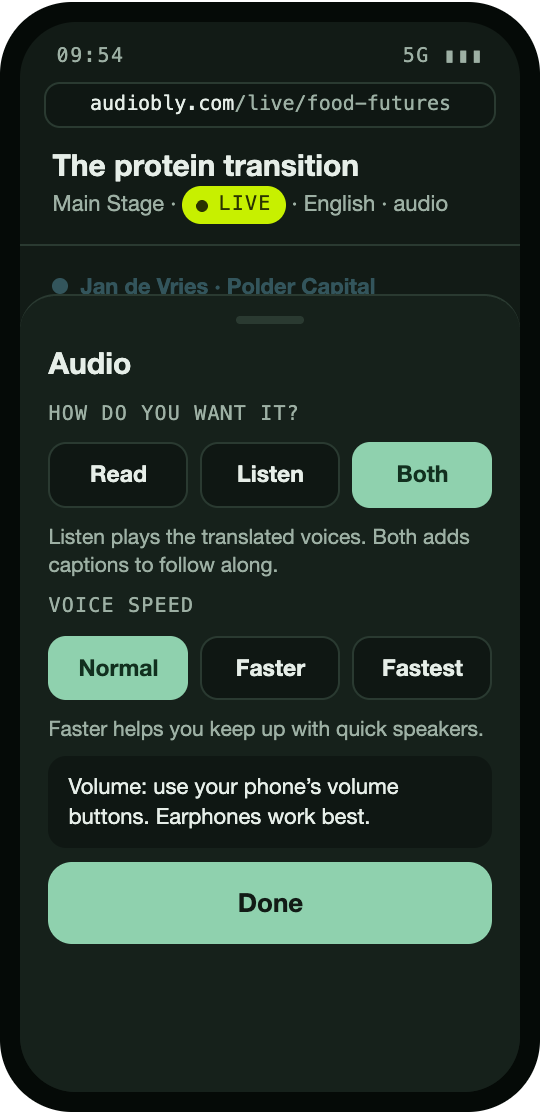
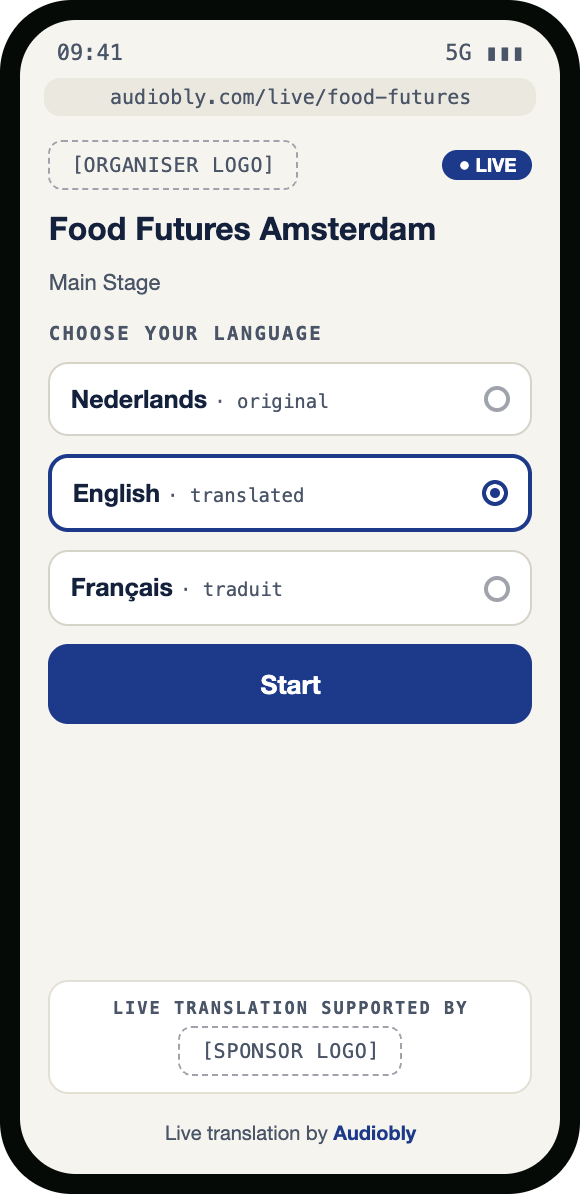
Attendees scan a QR code, choose their language and follow every talk on their own phone: as live captions, a translated voice, or both. No app to install, no sign-up.
Every speaker sounds like themselves, in another language
A voice for every speaker
Every speaker on a panel sounds different, so listeners can tell who is talking without looking.
Matched to the speaker
Your team confirms each speaker's voice in advance. We never guess.
The same voice all event
A speaker keeps their voice across every talk they give, in every language.
Questions from the floor
Audience questions get their own neutral voice, never a panellist's.
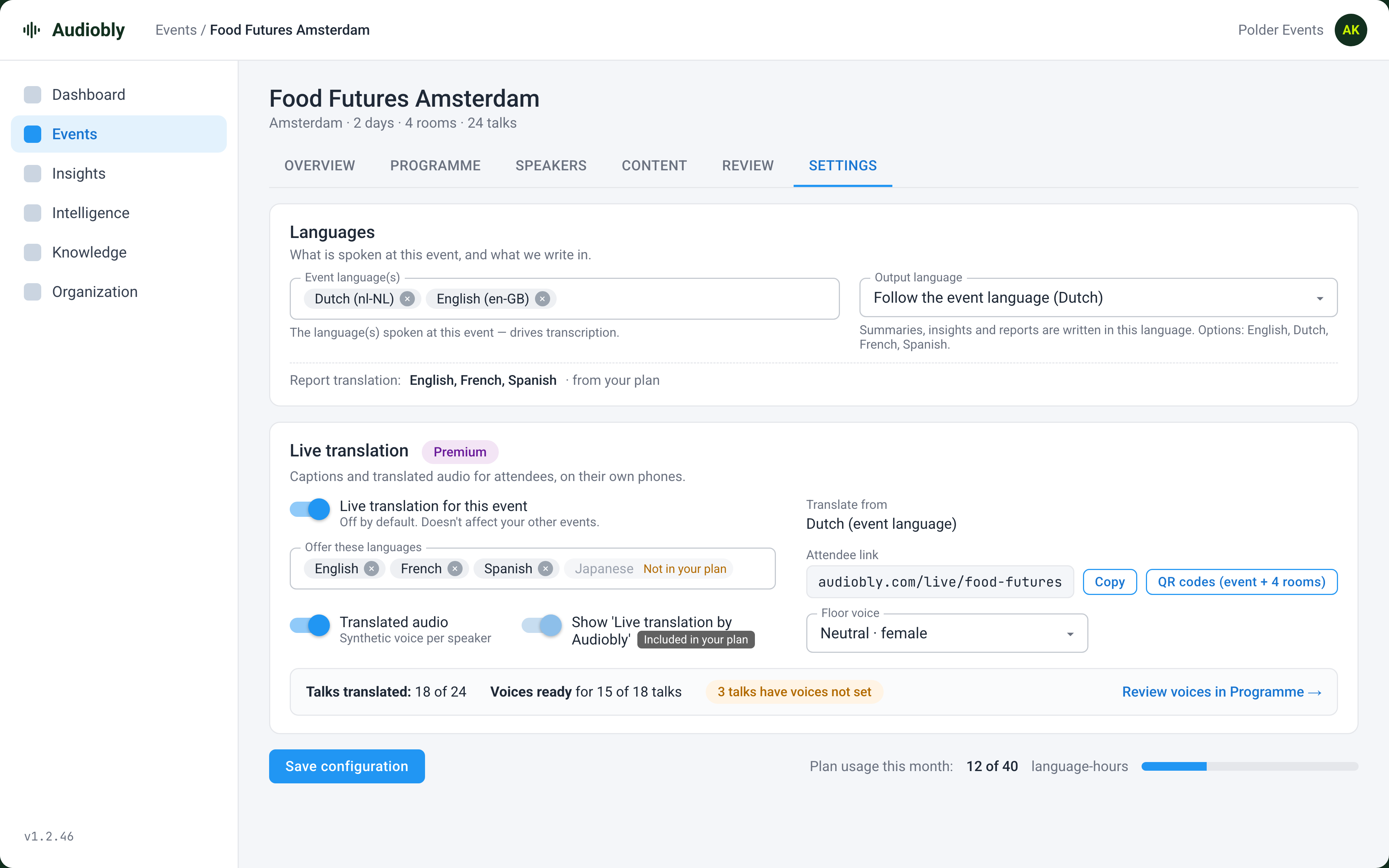
Per event, per talk
Switch live translation on for the events that need it, and off for individual talks or rooms.
Your languages
Offer the languages your audience speaks, from the list in your plan.
Several rooms at once
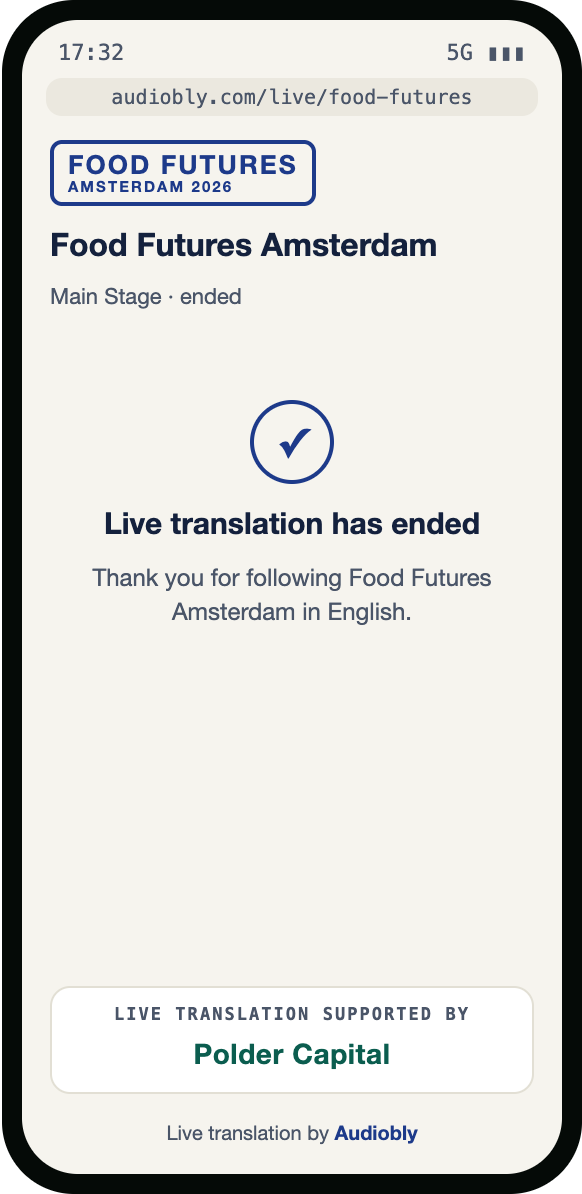
Between talks, each room's screen shows what is next. Listeners don't need to do anything.
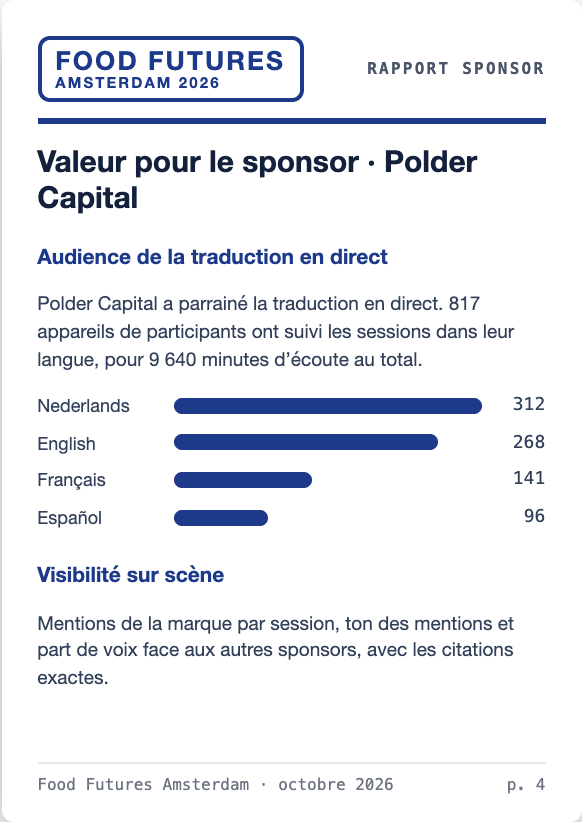
Who listened, and in what
Devices and listening minutes by talk, room and language, with CSV export.
A sponsorship you can sell, in every language
Live translation is something new to sell as well as a service to offer. The attendee page carries your event's look, a sponsor can present the translation, and the reach it delivers flows into reports you can hand over in each partner's own language.
Accurate, labelled and in your control
Clearly labelled
Live translation is always marked as live machine translation, and never mixed into your reviewed transcripts and reports.
Reviewed before it's shared
Every report and every translated report is approved by a person before anyone outside your team sees it.
Names kept right
Speakers, companies, brands and your own terms are kept exactly as written, in every language.
Your data stays yours
Your content is not used to train anyone's AI models. Translation and voices run in EU data centres.